Get in Touch

Send a Direct Inquiry

Looks like you didn't add a phone number — drop it above and we'll reach out that way.

Thank you — your message is on its way. We'll be in touch shortly.

How To Use the Front Door Lock
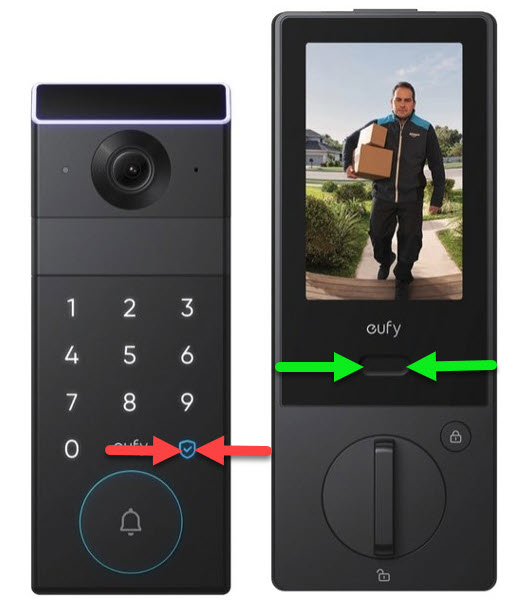
Front door lock keypad
The front door lock is state of the art and does a few fun things, but here is what is important to know: 1. To Unlock: Enter your code followed by the check button (under the #9 - between the red arrows). 2. To Lock: Simply press the check button (under the #9 - between the red arrows). 3. If you would like to see who is outside the door without opening it, this lock has an electronic "peep hole." To activate the screen, press the button between the green arrows and you will see the other side of the door. The screen takes just a second or two to light up and will automatically dim in approximately 30 seconds. 4. The door lock has a "doorbell." It does not affect the locking or unlocking mechanism, but when pressed, it will make a chime sound.
How To Control the Window Shades

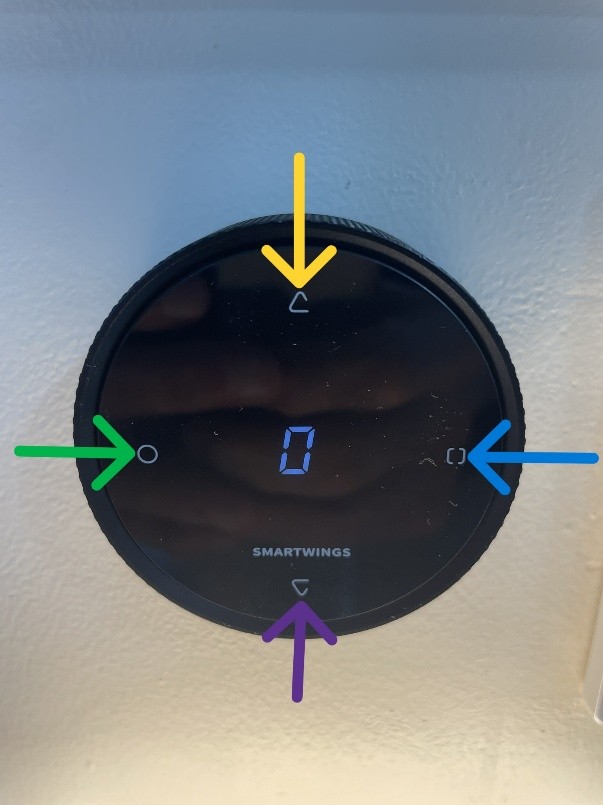
Window shades controller
This is the controller for the shades of the windows. Here is how it works: The number in the middle (0 in the photo) controls both shades when set to 0. If you push the button on the right side it will change that number from 0 to 1, and if you press it again, it will change to 2, and then up to 8. 0 = both shades. 1 = the shade facing east. 2 = the shade facing south. 3 through 8 do not control anything. To open the shades, push the button on the top. To close the shades, push the button on the bottom. To stop the shade mid-way, push the button on the left side. You can also spin the side of the controller in a circular fashion to open or close the shades partially.

How To Use the Bluetooth Speaker / Charger Table

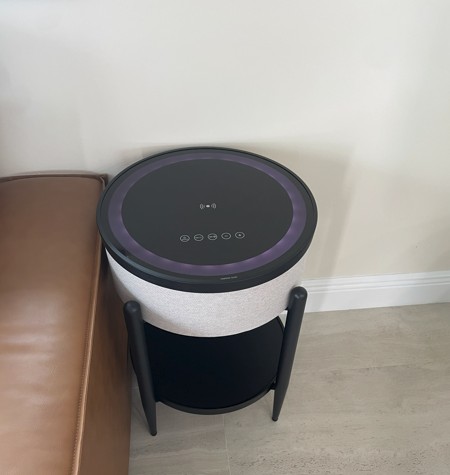
Bluetooth table speaker
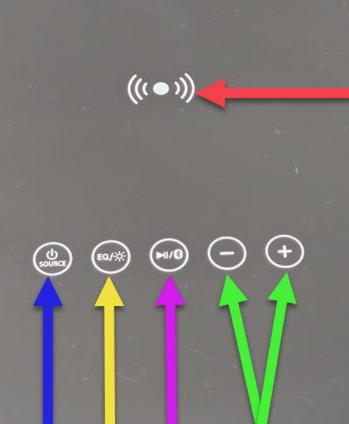
Bluetooth table controls
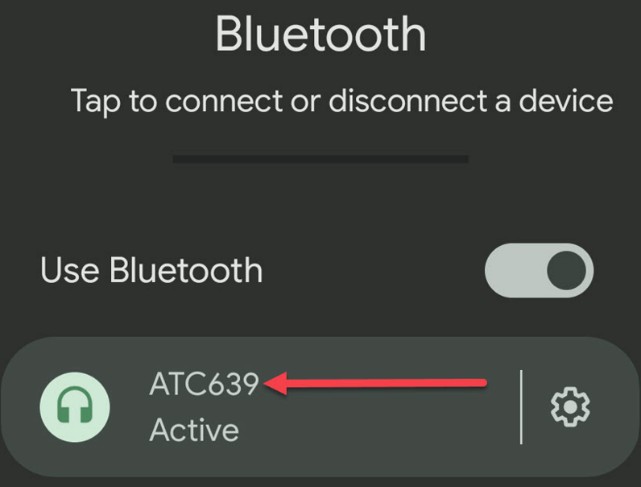
Bluetooth device pairing
This table next to the couch does a number of things. It is a wireless charger for your phone (if you have a compatible phone) and it is a Bluetooth Speaker — and a table too! The touch button above the blue arrow is the power button (long press) and the input source (wireless/wired — wire not included — short press). The touch button above the yellow arrow scrolls through sound settings (long press) and changes the color lights (short press). The touch button above the purple arrow is pause/play (short press) and activates Bluetooth pairing (long press). The buttons above the green arrows are volume control. The area to the left of the red arrow is the wireless charger. If the Bluetooth Speaker does not go into pairing mode, try: 1. Power the table off and back on — it should immediately enter pairing mode. 2. Unplug from the wall, wait 10 seconds, then reconnect. Once in pairing mode, search for "ATC639" and connect your device.

How To Control the Bathroom Mirror

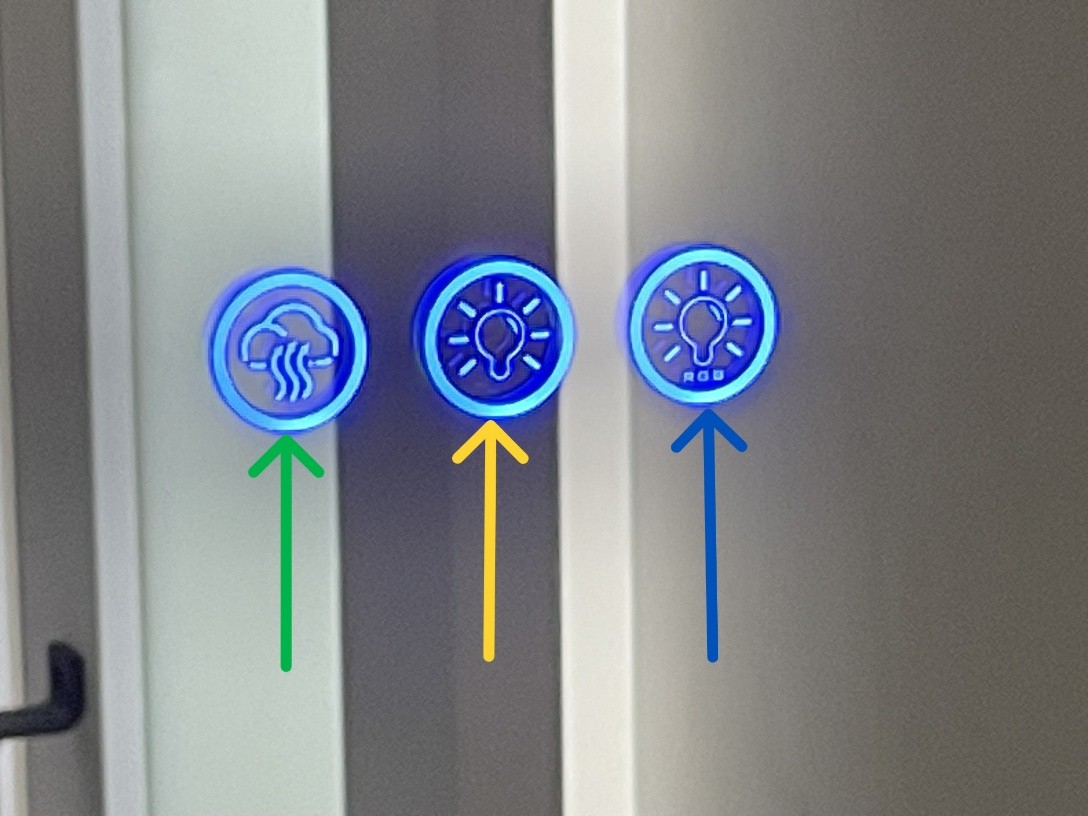
Bathroom mirror controls
The mirror in the bathroom has a number of settings. 1. RGB back lighting. One long press turns the lights on. Short presses cycle through color options. A very long press brightens; another very long press dims. 2. White front lighting. One long press turns the lights on. Short presses cycle 3 white color options. A very long press brightens; another very long press dims. 3. Mirror heater. One press turns it on; another turns it off. It can be turned on before a shower to prevent fogging, or after a shower to clear fog. The heater auto-shuts off after 15 minutes.

How To Use the Stovetop

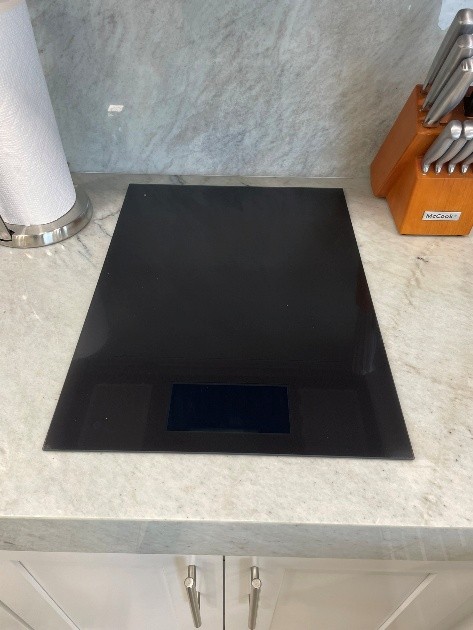
Stove top overview
Stove top overview
Stove top power button
Stove top outlet
Stove top outlet
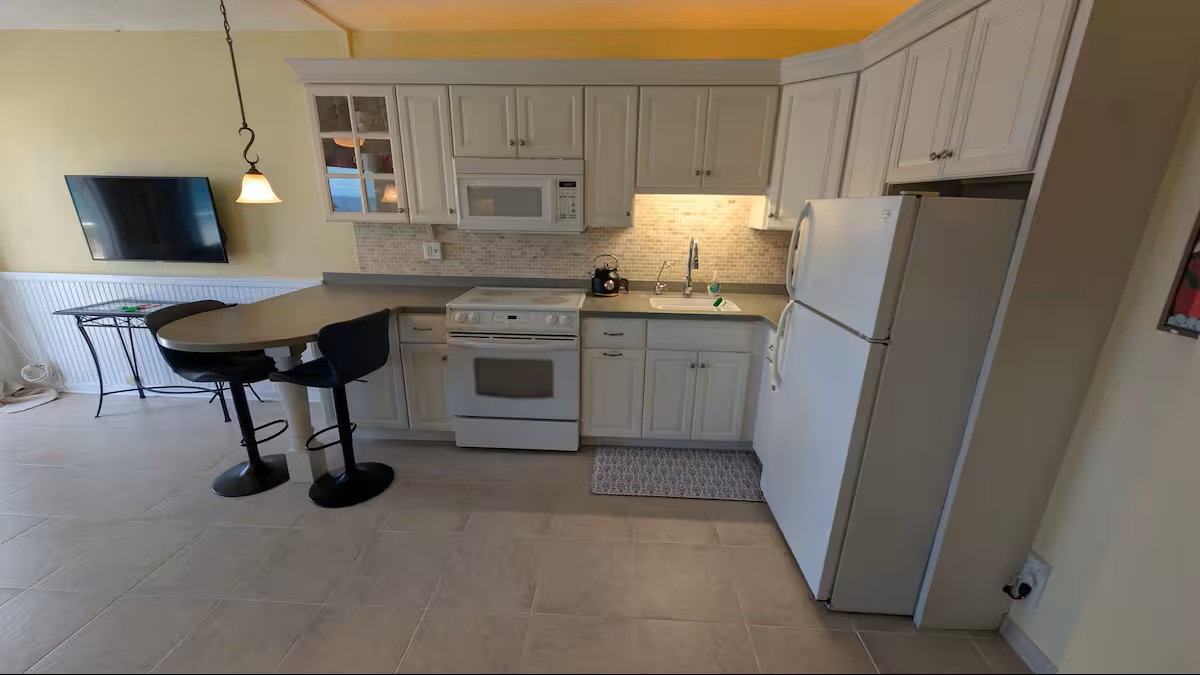
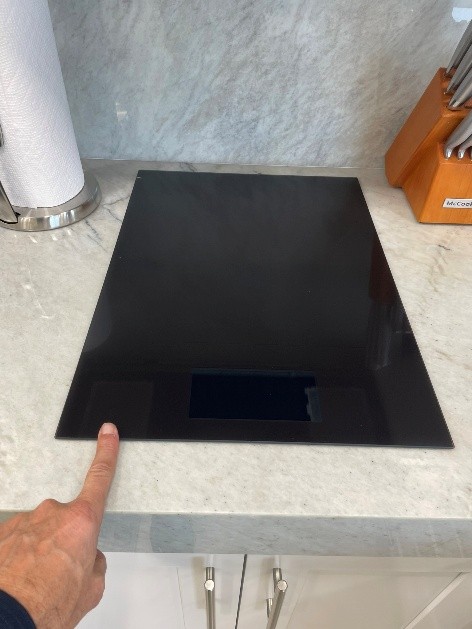
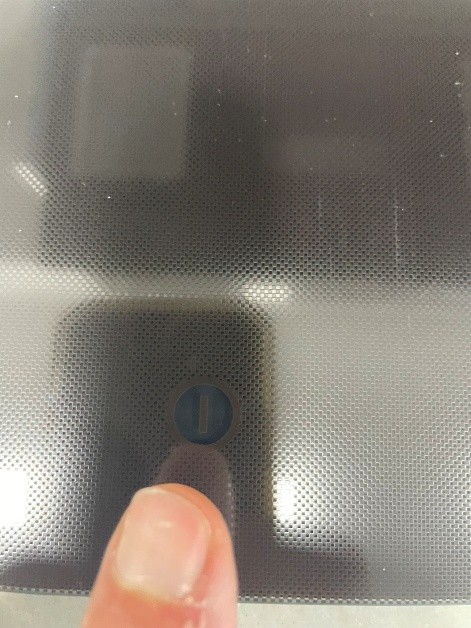
There is an on/off button on the bottom left side of the stove top. It is hard to see at first and is touch-activated. When you press it, the stove top will turn on and you will see the controls appear in the bottom middle. There are two burners (back and front) and an option to combine them as one larger burner. This is an induction stove top that will only work with the pans provided in Unit #319 that have magnetic bottoms.

How To Use the Dishwasher

Dishwasher controls
Dishwasher controls
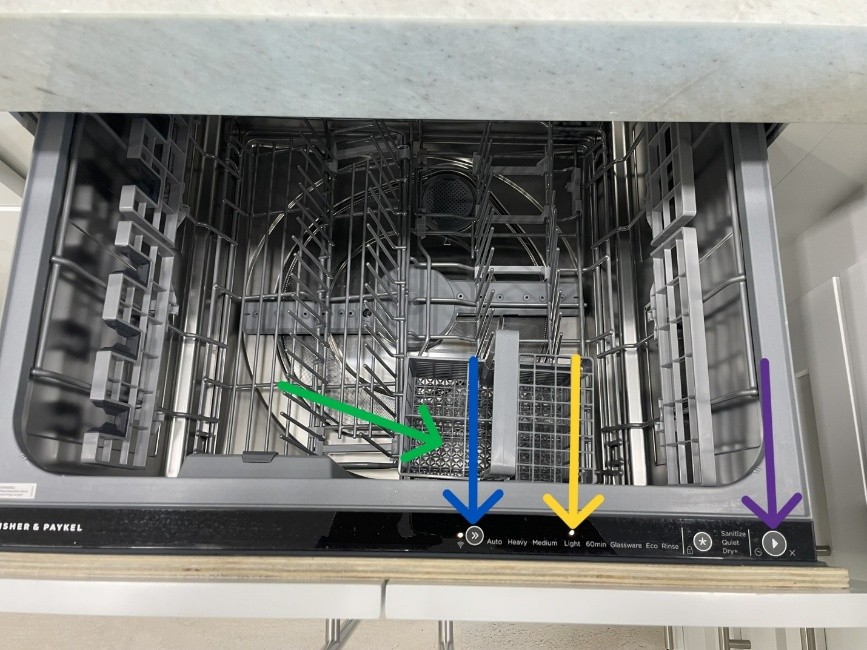
Here are the best and fastest settings: First, take one of the provided dish soap pods (under the sink) and place it anywhere in the silverware rack. Second, open the drawer — it should activate and light up. If it doesn't, press the arrow button. Once on, select the Light cycle (approximately 35 minutes). Third, press the start button (looks like a play button) and then close the drawer IMMEDIATELY. This will start the wash cycle.

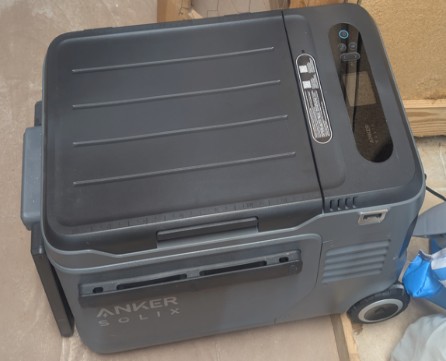
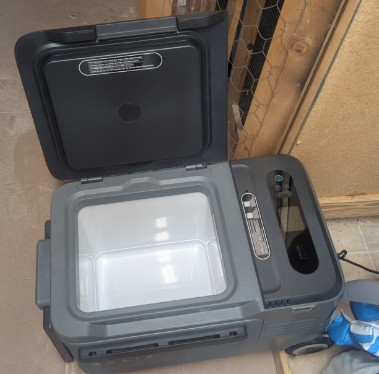
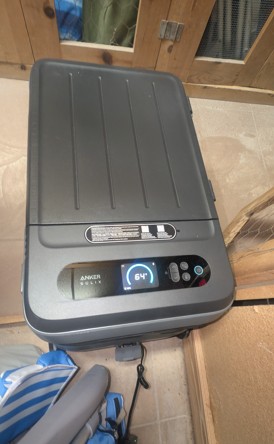
How To Use the Anker SOLIX EverFrost 2 Cooler

Anker SOLIX EverFrost cooler product view
Anker SOLIX EverFrost cooler
Anker SOLIX EverFrost cooler closed
Cooler closed
Anker SOLIX EverFrost cooler open
Cooler open
Anker SOLIX EverFrost cooler display
Cooler display
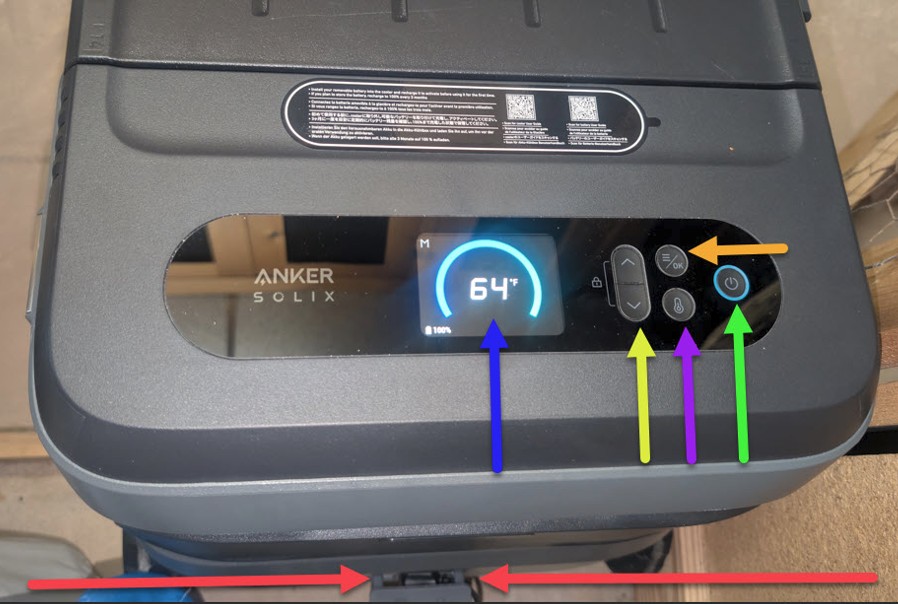
Anker SOLIX EverFrost cooler controls
Cooler controls
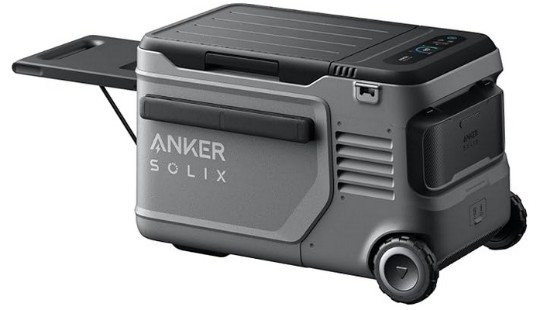
This is an electric cooler kept in the 1st floor storage unit. The display shows both the set temperature and the current interior temperature. The temperature control buttons adjust the setting. To charge the cooler, there is a charger and outlet in the 1st floor storage. You can also remove the battery and charge it in your unit with a USB-C charger — and use that same USB-C port to charge your devices while the cooler runs. For full instructions: Anker SOLIX EverFrost 2 23L manual

Things in the 1st Floor Storage

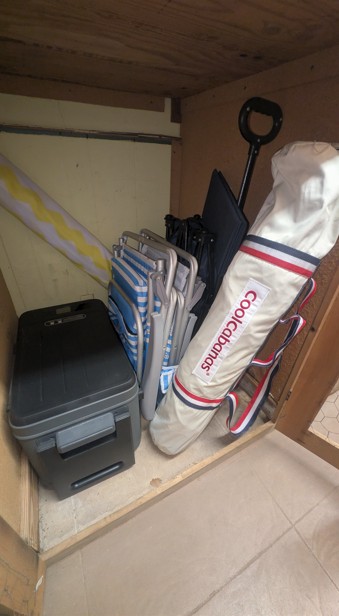
1st floor storage contents
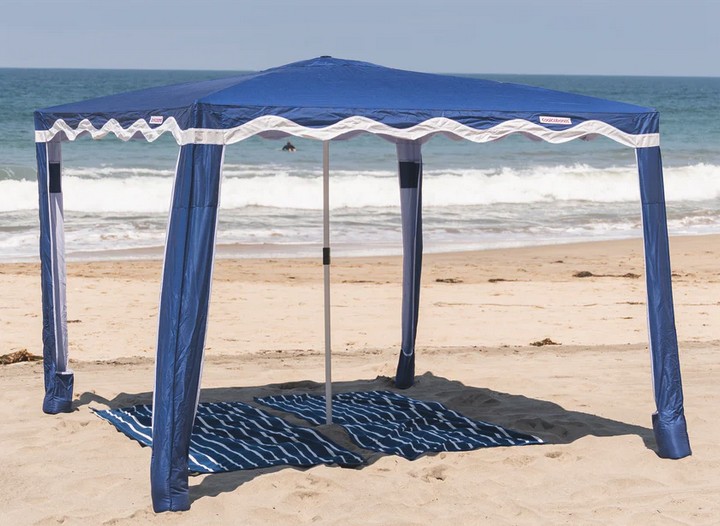
Cool Cabana on beach
Cool Cabana storage bag
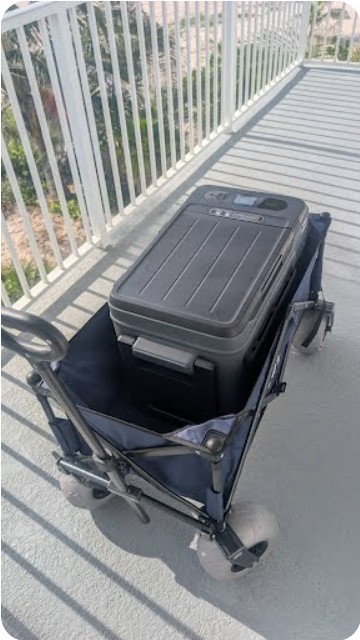
The 1st floor storage holds: 1. The Anker SOLIX Cooler (see separate instructions) 2. Two beach chairs 3. Old school beach umbrella 4. "Sand Warrior" beach wagon with 9" pneumatic beach tires 5. Red Label Cool Cabana — 8' x 8' (64 sq ft of shade) Cool Cabana Set-Up Video: https://youtu.be/MQfDAxPb-eA Cool Cabana Take-Down Video: https://youtu.be/d-IZlE9onE8

How To Use the Bedside Reading / Night Light

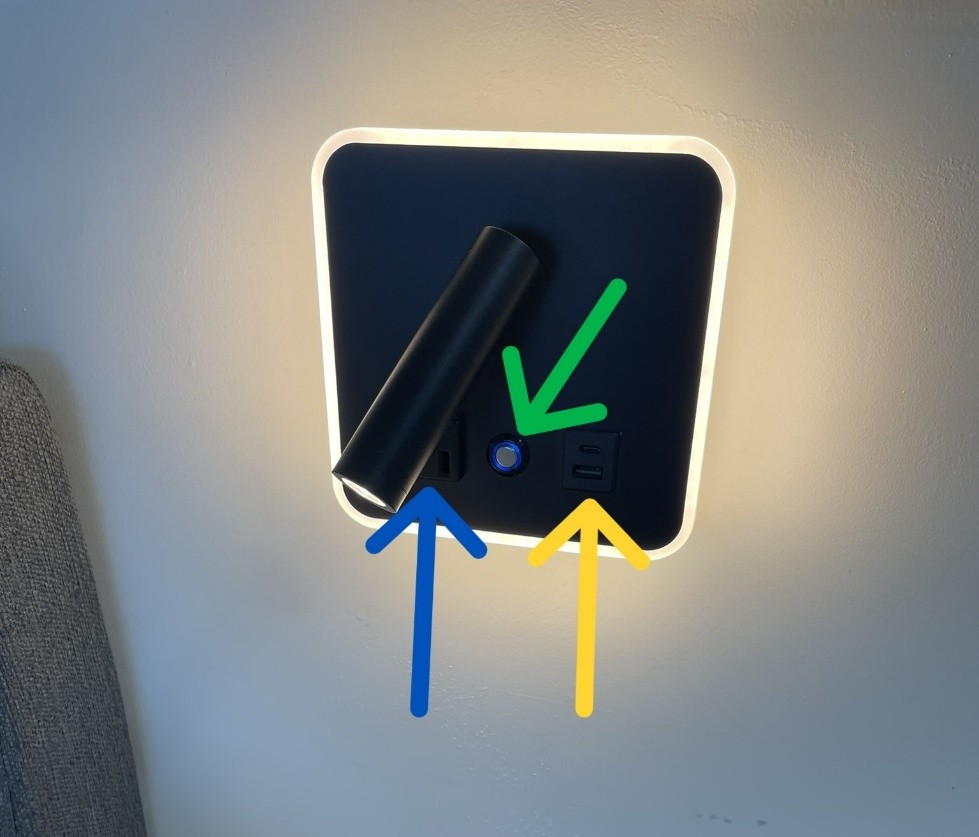
Bedside reading and night light
The bedside lamp has three things to know: 1. Traditional power outlet. 2. USB-A and USB-C outlets. 3. Light control button: a. A single press turns on both the spotlight and the backlight. b. A second press cycles to reading light only. c. A third press cycles to backlight only. d. At any point, a very long press brightens the light. Another very long press dims it. You can leave it at any level.

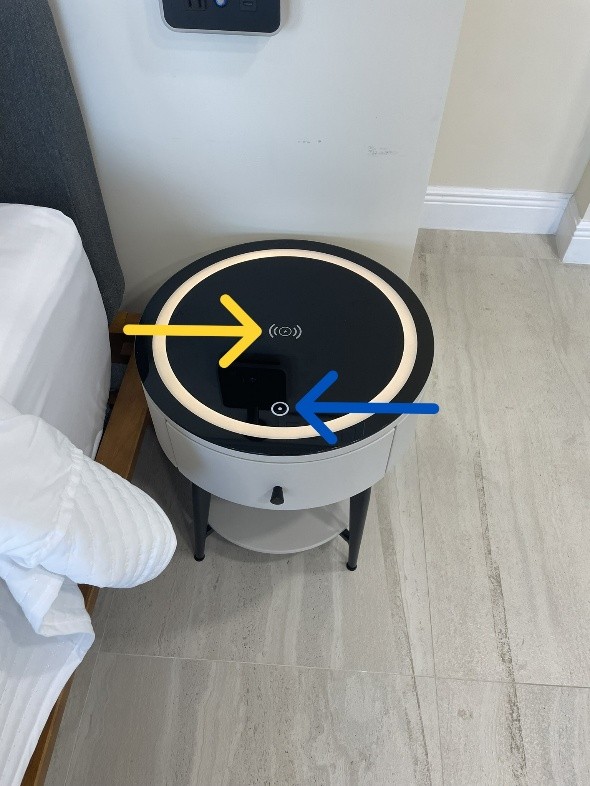
How To Use the Bedside Table Light / Charger

Bedside table light and charger
1. White lighting. One long press turns the lights on. Short presses cycle through 3 white color options. A very long press brightens; another very long press dims. You can leave it at any level. 2. Wireless phone charger. Place a compatible phone on top of the charging symbol and it will begin charging wirelessly.

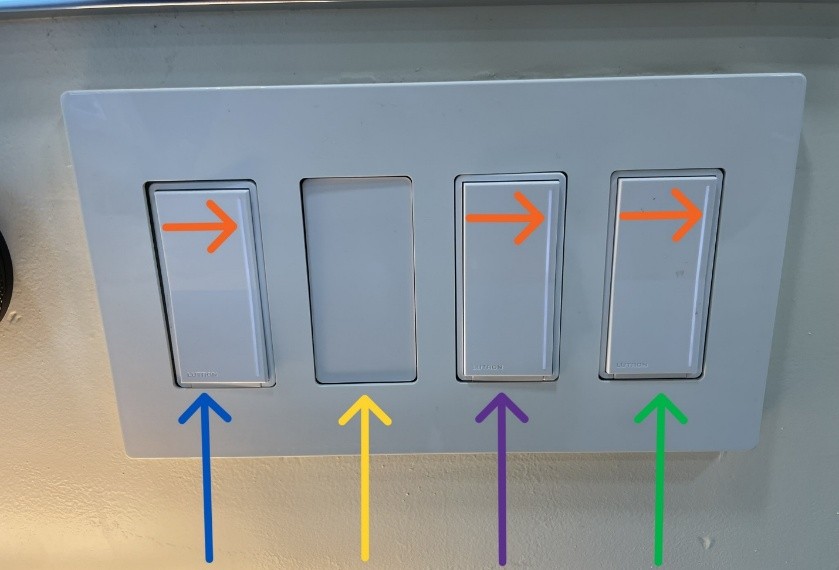
How To Control the Overhead Lighting

Overhead lighting controls
There are two panels that control the overhead lights — one by the front door and one near the bed. The panel near the bed has three switches: one controls the lights above the bed, one controls the lights above the kitchen, and one controls the lights above the couch. The AC remote is stored in the panel near the bed as well. The lit slider on each switch can be slid up or down with a finger to brighten or dim the lights controlled by that switch.

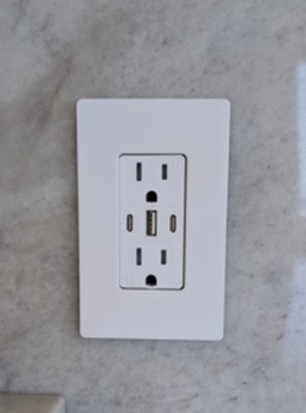
USB-C/A Outlets

USB-C and USB-A outlet
Electrical outlets in Unit #319 have USB-C and USB-A chargers built in!

Unit #319  ·  Studio  ·  3rd Floor  ·  Oceanfront

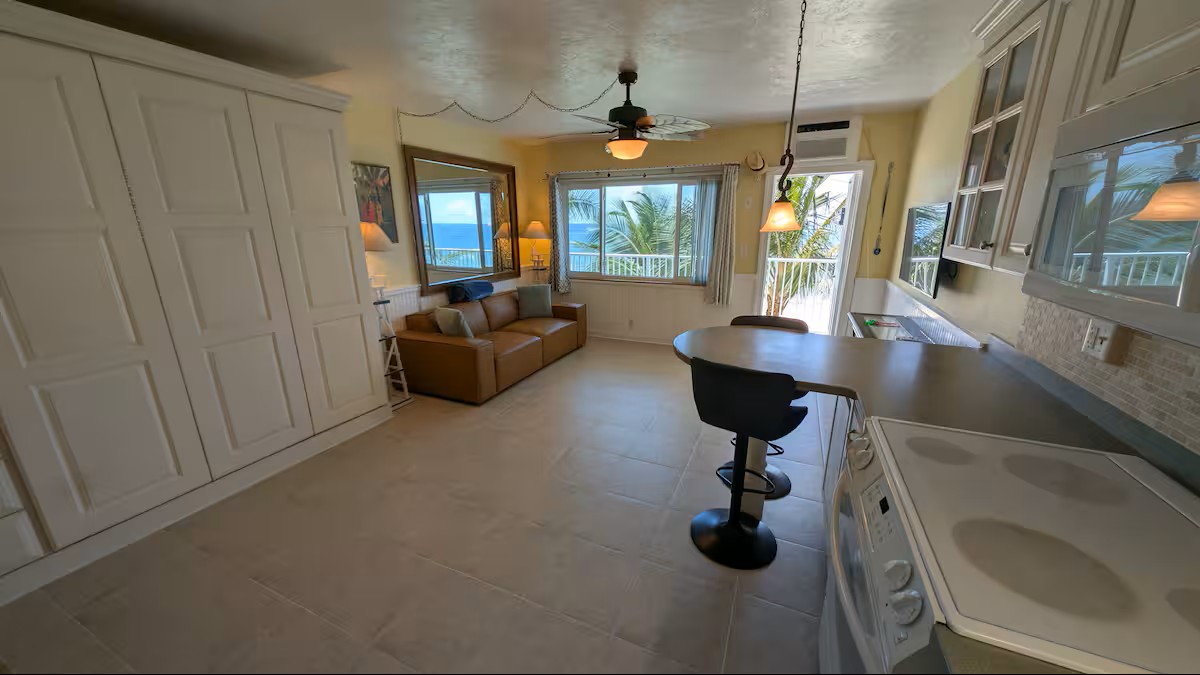
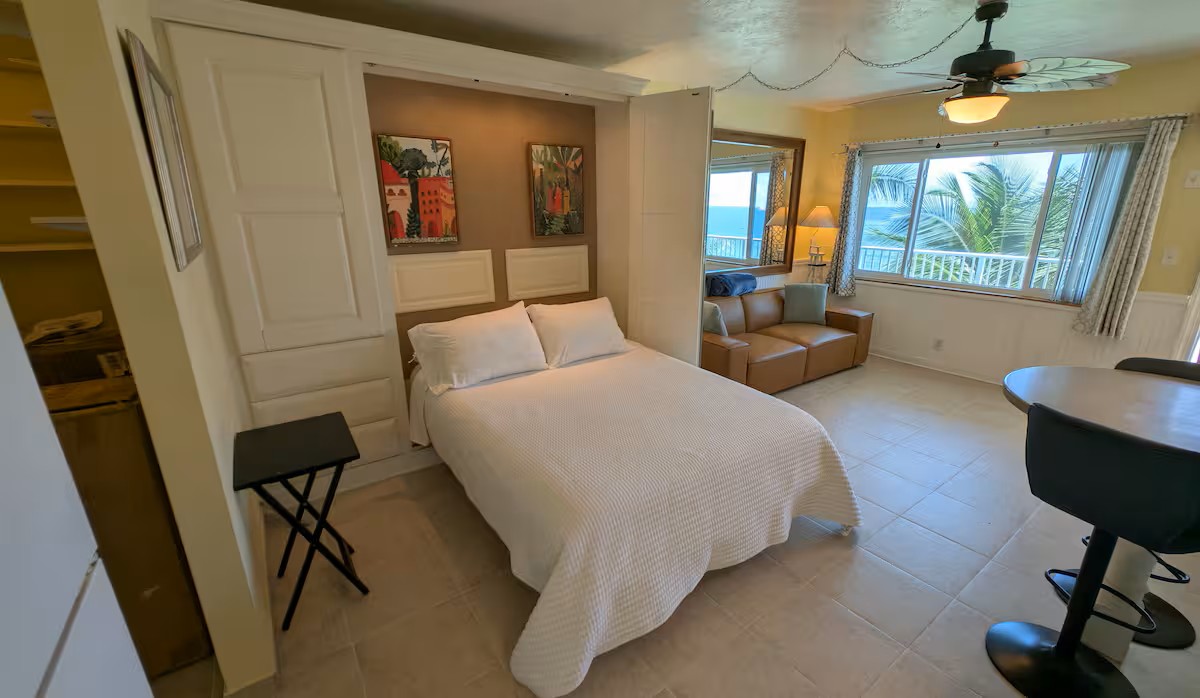
Direct Oceanfront Escape with Spectacular Views

2 Guests  ·  1 Bed  ·  1 Bath  ·  1480 S Ocean Blvd, Lauderdale-by-the-Sea, FL

Unit 319 — main view
Unit 319 — view 1 Unit 319 — view 2 Unit 319 — view 3 Unit 319 — view 4

Virtual 3D Tour

Explore every corner of the unit before you book.

Wake Up to the Atlantic

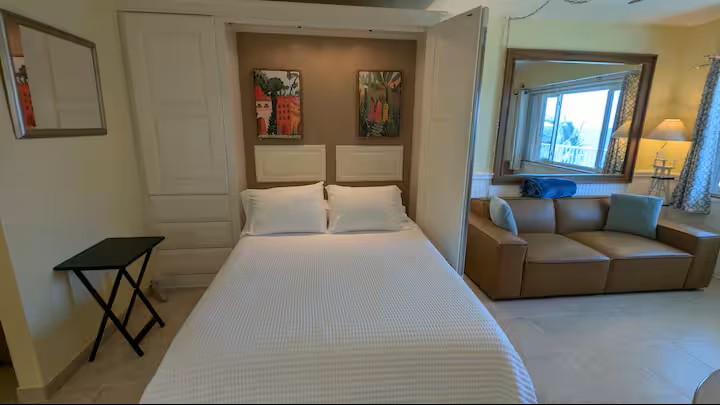
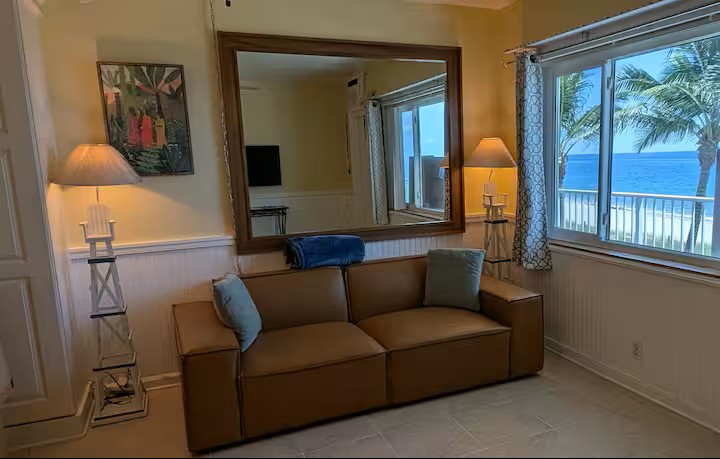
Unit #319 is a direct oceanfront studio on the third floor of a private beachfront building in Lauderdale-by-the-Sea — one of South Florida's most beloved coastal communities. Step outside and you are on the sand. No street to cross, no parking lot to walk through. Just the Atlantic Ocean, right there.

The studio is bright, clean, and fully equipped for a comfortable stay. Wake up to golden sunrises over the ocean. Fall asleep to the sound of the waves.

Direct Oceanfront3rd FloorSunrise ViewsDirect Beach AccessSleeps 2Fully Equipped KitchenFree ParkingPool Access
Winter SeasonNov 15 – May 14$275 / night
Off SeasonMay 15 – Nov 14$175 / night

✓ Best rate guaranteed when you book direct

Everything You Need to Know

Front door lock keypad
Front Door Lock
Front Door Lock
Tap to open
Window shades controller
Window Shades
Window Shades
Tap to open
Bluetooth speaker charger table
Bluetooth Speaker / Charger Table
Tap to open
Bathroom mirror controls
Bathroom Mirror
Bathroom Mirror
Tap to open
Stove top overview
Stovetop
Stovetop
Tap to open
Dishwasher controls
Dishwasher
Dishwasher
Tap to open
Anker SOLIX cooler
Anker SOLIX Cooler
Anker SOLIX Cooler
Tap to open
1st floor storage
1st Floor Storage
1st Floor Storage
Tap to open
Bedside reading night light
Bedside Reading / Night Light
Tap to open
Bedside table light charger
Bedside Table Light / Charger
Tap to open
Overhead lighting controls
Overhead Lighting
Overhead Lighting
Tap to open
USB-C and USB-A outlet
USB-C/A Outlets
USB-C/A Outlets
Tap to open

How would you like to book?

No platform fees — goes straight to the owner

or book through a platform
★ View on Airbnb □ View on VRBO

Booking direct means no service fees and a direct relationship with the owner. Many guests book a year in advance — reach out early.

Availability

Available Booked Coming Soon